Enterprise Large File Transfer & EFSS.
Built Without Limits.
One platform for high-speed enterprise data transfer — up to 10Gbps — and complete Enterprise File Sync and Share (EFSS) governance. Deployed your way: on-premises, cloud, or hybrid.







The Infrastructure Layer for Enterprise File Transfer & EFSS
Raysync Enterprise replaces slow, ungoverned file tools with a unified platform — combining high-speed enterprise large file transfer, automated file synchronization, and a full EFSS governance layer that IT controls end to end.
No file size limits. No cloud dependency. No per-user pricing walls. Your infrastructure. Your data. Your rules.
Everything Enterprise Large File Transfer Demands — One Platform.
Transfer files directly between authenticated nodes via user ID, key, or email — bypassing central server bottlenecks. Raysync's proprietary UDP-based protocol sustains up to 10Gbps across intercontinental WAN links, 100× faster than FTP, regardless of distance or packet loss. Every transfer is end-to-end AES-256 encrypted.
Manage all transfer nodes, user accounts, and active sessions from a single admin portal. Visualized logs, real-time transfer status, auditable history, and granular role-based access control — your IT team has full visibility over every file that moves through the organization, across every location.
Set the trigger — time-based schedule, directory watch, or custom event — and Raysync executes automatically. Supports one-way and two-way sync across Windows, Linux, macOS, cloud storage, and NAS. Files land directly at the target path, with no manual downloads required and full transfer verification on completion.


Share files via encrypted, password-protected, expiry-controlled links — no recipient account needed. Per-link download limits ensure complete access control. Every action is logged for compliance.

Deploy Raysync as your own product. Customize the client login page, company name, product name, and email notification headers — presenting a fully branded experience to users and partners.

Embed Raysync into any workflow via REST API, SDK, or CLI. Integrates with Active Directory, OpenLDAP, Okta, OneLogin, and Google Workspace. Runs natively on Windows, Linux, macOS, Android, and iOS.
Raysync Skill + AI Agent
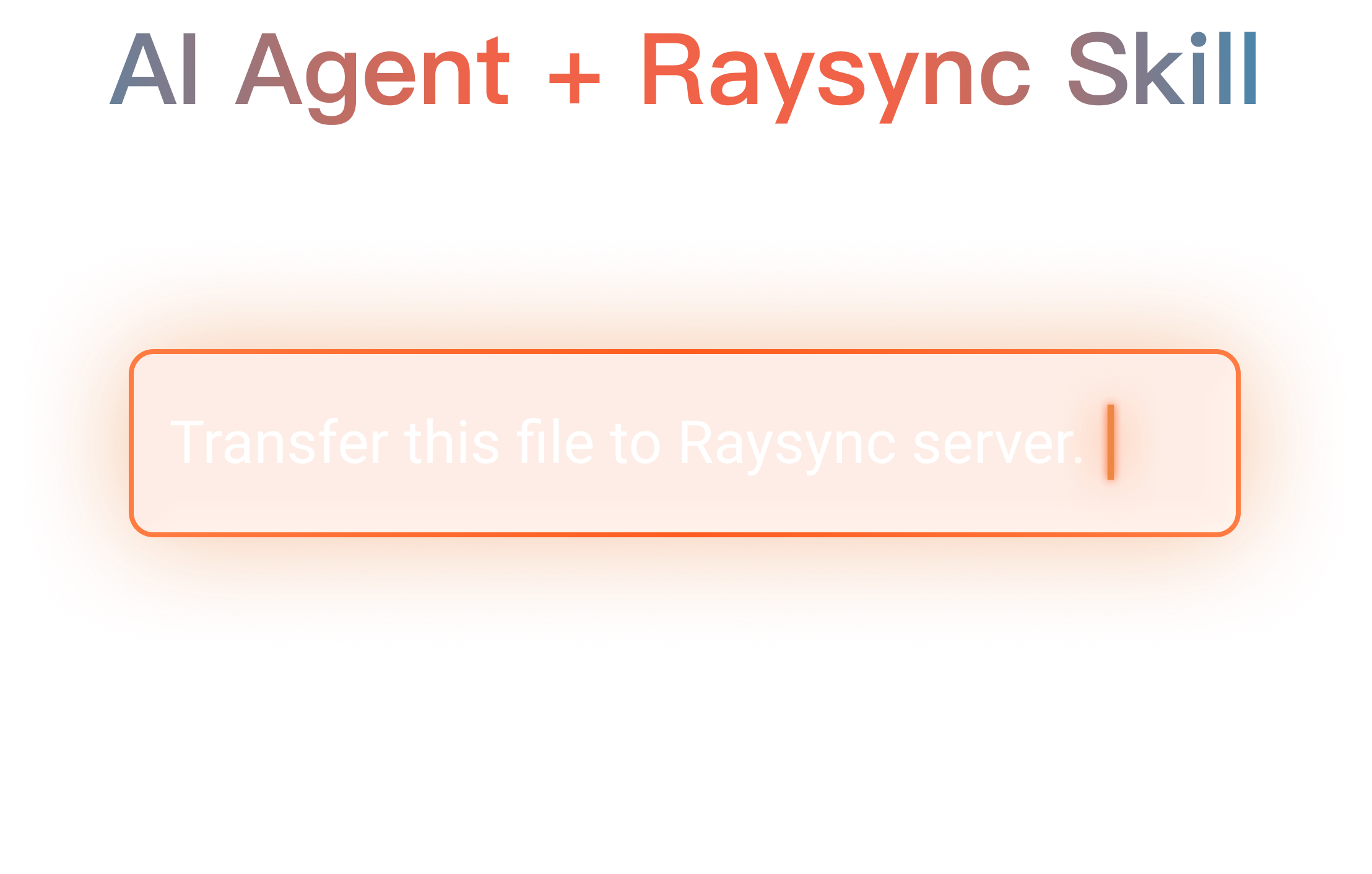
Raysync operates as a native skill your AI Agent plugs directly into. Tell the AI Agent what you need — "Upload this folder to the server" — and it instructs Raysync to execute it.
- Natural language control — upload, download, browse, rename, and move files on remote servers without touching a command line
- Scheduled auto file sync — designate a folder, set your interval or trigger, and Raysync handles the rest on schedule
- Full Raysync engine behind every command — UDP acceleration, SSL encryption, and checkpoint resume on every transfer
- Cross-platform, zero configuration — auto-detects Windows, Linux, or macOS and runs the right binary instantly
What Is EFSS — And Why It's Not the Same as Generic File Sharing
The EFSS Definition That Matters to IT
Enterprise File Sync and Share (EFSS) is enterprise software that enables organizations to securely store, synchronize, and share files across teams, offices, and partners — with centralized IT governance, identity integration, policy enforcement, and the audit trails compliance teams require.
The category was defined by Gartner to capture a critical distinction: enterprise file collaboration is not just about moving data — it is about controlling it.
The global EFSS market heads toward $35.5 billion by 2028 (30%+ CAGR).
Read the complete EFSS guide →The 5 Pillars of a True EFSS Platform

AES-256 encryption in transit and at rest, with per-file access controls and expiry on every shared link.

Preset-condition sync across offices, data centers, and storage — one-way or two-way, on your schedule.

All nodes, users, and permissions managed from a single console with RBAC and full session visibility.

Immutable logs satisfying HIPAA, TPN, and GDPR — exportable for auditors in minutes.

Native SSO with AD, LDAP, Okta, OneLogin, Google Workspace, and API/SDK for pipeline integration.
EFSS vs. Generic File Sharing
Consumer tools are built for convenience. EFSS is built for control.
Dropbox Personal · WeTransfer · Google Drive (free)
- No centralized IT visibility or policy enforcement
- No compliance audit trails or access logging
- No identity provider or SSO integration
- File size caps — typically 2GB to 15GB per transfer
- No WAN acceleration for global enterprise data transfer
- Creates shadow IT — corporate data moves untracked
- No on-premises or private cloud deployment
- Shared cloud infrastructure with unverified co-tenants
Built for governance, compliance & global performance
- Single admin console — full node and user control
- Immutable audit logs for HIPAA, TPN
- AD, LDAP, Okta, OneLogin, Google Workspace SSO
- No file size limits — transfer anything
- Proprietary WAN protocol — up to 10Gbps globally
- IT-sanctioned sharing — shadow IT eliminated
- Full on-premises, cloud, or hybrid deployment
- Dedicated, isolated infrastructure you control
Five Reasons Enterprises Stop Tolerating Legacy Tools
HIPAA, TPN, and GDPR require provable data governance. EFSS delivers the audit trails and encryption attestation that auditors demand.
When employees use personal Dropbox or WeTransfer, corporate data exits the organization untracked. EFSS gives teams a faster, IT-governed alternative they'll actually choose.
Enterprises span continents. Secure enterprise file sharing must work at WAN speed — not crawl at standard TCP rates.
Granular permissions, expiry dates, download limits, and passwords ensure sensitive data stays with the right people — and only them.
Enterprise data volumes grow exponentially. EFSS scales with them — add users, bandwidth, and storage without migrating platforms.
Raysync vs. Direct Enterprise File Transfer Competitors
Signiant and MASV are built for media delivery with cloud dependencies. Resilio excels at P2P replication but requires agents at every endpoint. Raysync Enterprise consolidates all of it on one platform.
| Capability | Egnyte | Signiant | MASV | Resilio | Raysync Enterprise |
|---|---|---|---|---|---|
| Transfer protocol | Standard HTTP/TCP — no acceleration | Proprietary UDP (patented, 4 patents) | Accelerated TCP (multi-thread, not UDP) | P2P (BitTorrent-derived protocol) | Proprietary UDP-based WAN protocol |
| Max transfer speed | No WAN acceleration | Up to 5 Gbps (proprietary UDP) | Up to 10 Gbps (desktop app, cloud-routed) | Up to 2 Gbps standard (10 Gbps on Enterprise+ tier) | Up to 10Gbps — any environment |
| Max individual file size | Up to 100GB (web upload; plan-dependent) | No limit | Up to 15TB per file | No hard limit (filesystem-dependent) | Unlimited — any size, any format |
| On-premises deployment | Hybrid only — cloud component always required | Hybrid SaaS — cloud control plane required | Cloud-first; on-prem storage via Transfer Agent | On-prem, cloud, or hybrid | Full on-prem — zero cloud dependency |
| Automated file synchronization | Connected Folders — bidirectional sync | Auto Delivery (one-way only) — no bidirectional sync | Watch Folders (automated triggers) — no true sync | Real-time continuous sync | Auto sync — preset conditions, one/two-way |
| Web upload portal | Yes | Media Shuttle portal | Yes — branded web portals | Agent install required at all endpoints | Desktop client app + web browser access |
| Checkpoint resume on large files | Partial (desktop client only) | Yes (Checkpoint Restart — not in app-less mode) | Yes — auto-resumes interrupted transfers | Yes | Full automatic resume — any file size |
| Branding customization | Custom domain, logo & theme colour | Portal logo, colours & background | Portal logo, colours & accent | Technical only (logo/icon via config files) | Login page, UI, company name & logo customization |
| Identity / SSO integration | SSO (Power User licence required) | SAML 2.0 SSO (Enterprise tier) | SAML SSO — Okta, Azure AD, PingOne | SSO + AD / LDAP / Azure AD | AD, LDAP, Okta, OneLogin, Google |
| Pricing model | Per user / month ($10–$55/user) | Annual subscription (from ~$8,500/yr) | Pay-per-GB ($0.25/GB; 15GB free/month) | Per-agent subscription (from $3,150/yr) | Bandwidth license — unlimited users |
| Primary target market | SMB & mid-market; regulated industries | Media & Entertainment (M&E) | Media & Entertainment (M&E) | Distributed file replication | All verticals — enterprise B2B |
Secure Enterprise File Sharing Built to Satisfy Auditors
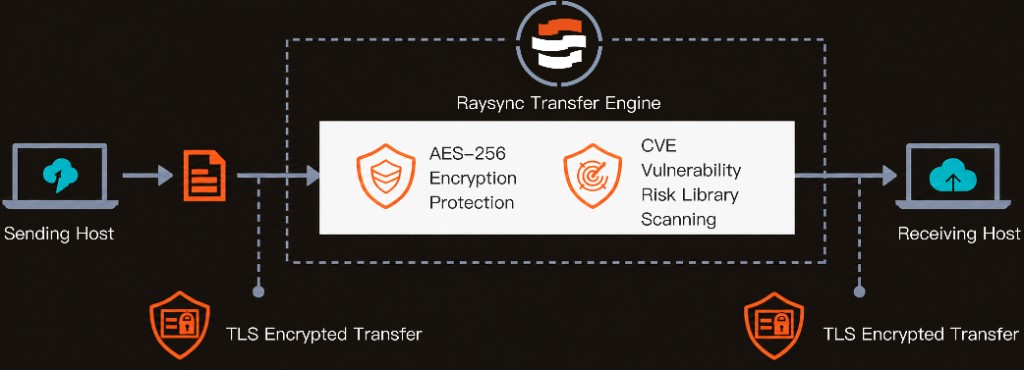
Security is not a feature in Raysync — it is the architecture. Every layer, from protocol to access control to audit log, is built to hold up under the most demanding compliance reviews.


Built for Verticals Where File Size, Speed & Compliance Are Absolute
Enterprises That Replaced Their Legacy Tools with Raysync
"Raysync has revolutionized our file transfer processes — the speed, reliability, and ease of use have dramatically improved efficiency and collaboration across our studio."
Rusk Media transferred over 20TB of live footage in 30 days — handling 40+ episodes and 3TB daily with zero data loss using Raysync for intercontinental delivery.
Studio 51 secured and accelerated enterprise data transfer between offices in Germany, Sweden, and India — managed centrally from a single Raysync console in Hong Kong.
Elógica, serving banks and government agencies since 1976, selected Raysync Enterprise for secure enterprise file sharing that meets the data governance requirements of financial sector clients.
Connects to Your Enterprise Stack — Out of the Box
No rip-and-replace required. Raysync Enterprise connects with the identity providers, developer tools, and operating environments your teams already run.
Frequently Asked Questions
About enterprise large file transfer, EFSS, and Raysync Enterprise.
Ready to Upgrade Your Enterprise File Infrastructure?
Join enterprises worldwide using Raysync for high-speed enterprise large file transfer and EFSS — unlimited files, full compliance, deployed your way.