Raysync - Something You Need to Know about Massive Small Files Transfer
July 24, 2020
Raysync Test Environment:
The server host is Shenzhen Alibaba Cloud Linux environment, Centos6.7 system, configured with 8 cores 16G, the intranet bandwidth is 2Gbps, and the IP is 47.106.89.38;
The client host is Shenzhen Alibaba Cloud windows environment, win2012 R2 system, configured with 8 cores 16G, the intranet bandwidth is 2Gbps, and the IP is 47.106.71.86;
The test disks are mechanical disk and SSD disk. The number of files is 84681.
When the transfer medium is SSD disk:
It takes 17s to upload files at Raysync, and 4981 files are uploaded per second on SSD disk. It takes 28s to download files at Raysync, and 3024 files are downloaded per second on SSD disk.
When the transfer medium is a mechanical disk:
It takes 52s to upload files at Raysync, and 1628 files are uploaded by mechanical disk every second. It takes 50s to download files at Raysync, and 1693 files are downloaded by mechanical disk every second.
Create the new user
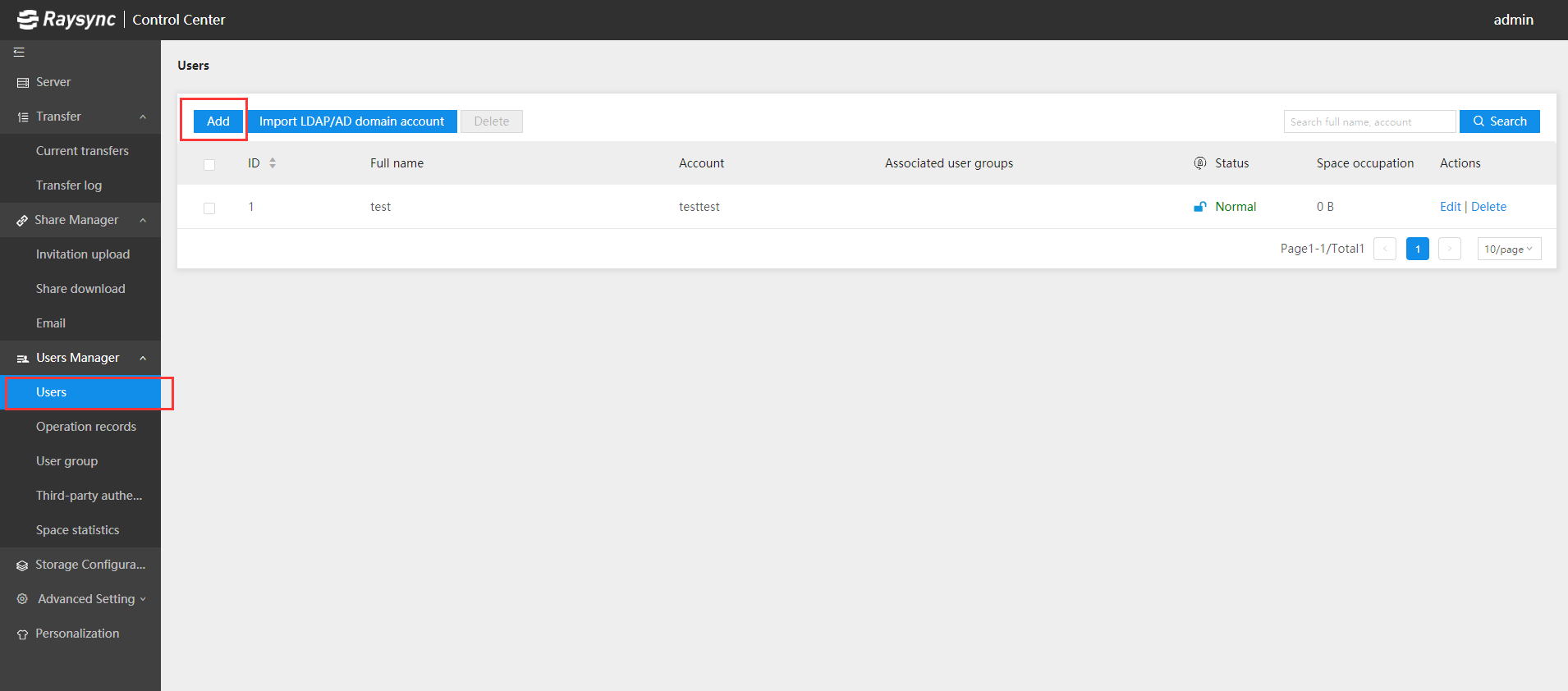
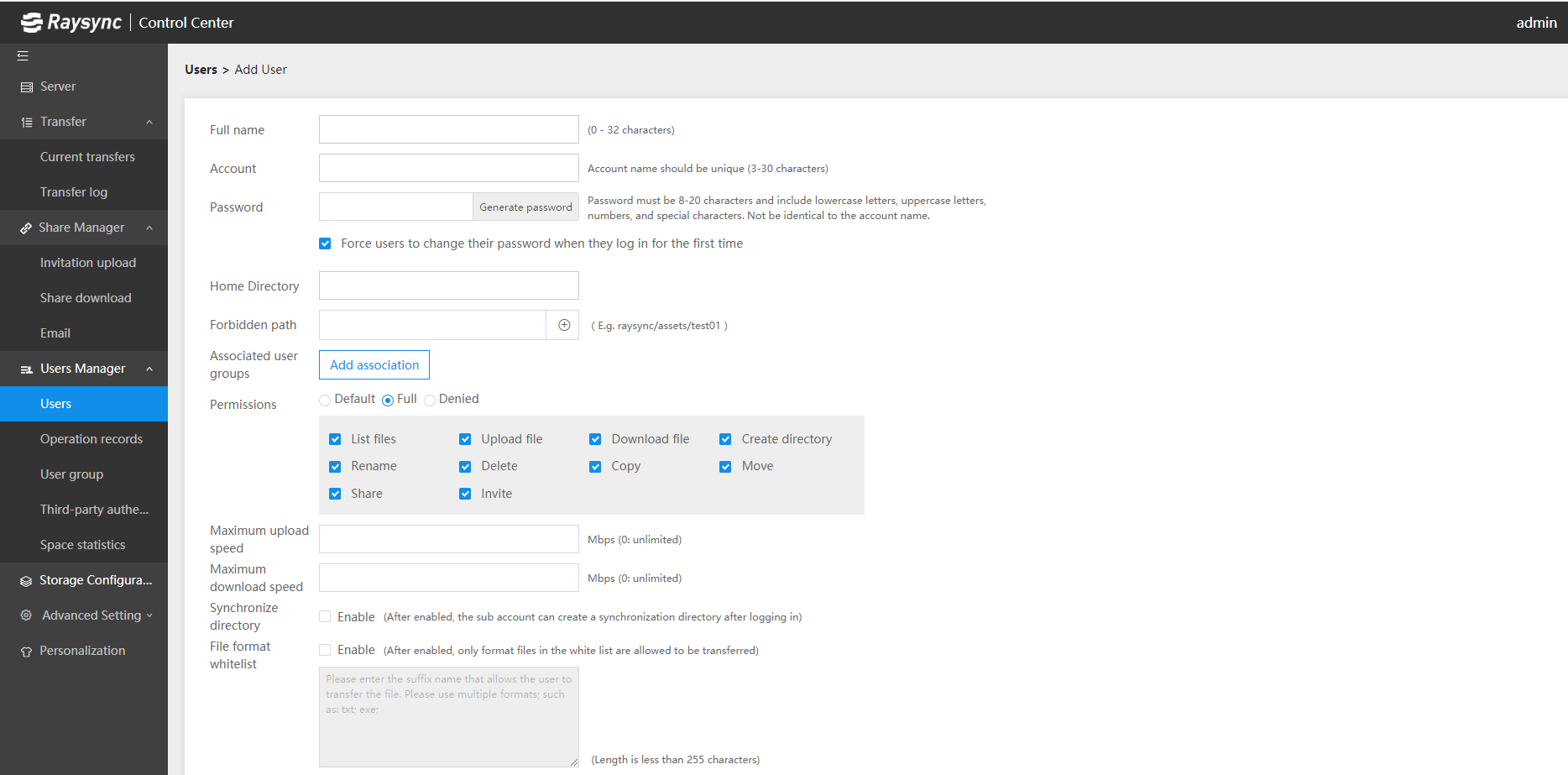
With Raysync, it takes fewe easy steps to create a new user. Firstly, log into the Raysync dashboard and click the Add button in the User interface. You will see the following interface, fill in the basic information of the user according to the guidelines and click Save to save all the settings. The new user is created, and the whole operation process is very simple.
In the process of creating new users, the setting of the user group can flexibly meet the organization's collaboration needs. The administrator can create user groups according to enterprise architecture, departments or projects, and assign users to their own user groups. In addition, administrators can set various permissions for users in groups, such as file upload and download permissions, upload and download speed permissions, etc.
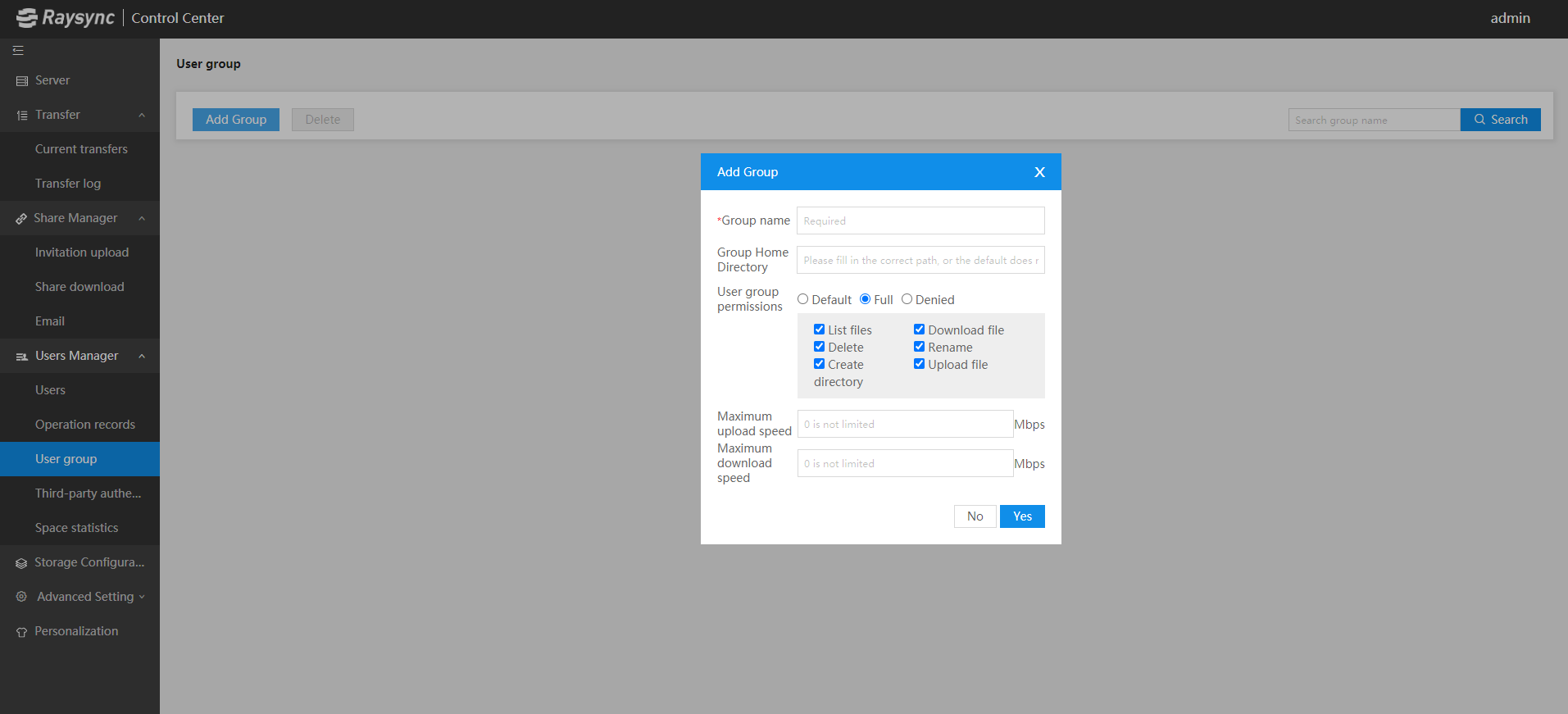
With this function, colleagues in the same department or project team no longer need to pass a document around, and file sharing is realized in Raysync Group, so that everyone can check the latest data of the department at any time, which greatly improves the efficiency of information circulation within the enterprise.
After the comparative test, we found that the advantages of Raysync are evenly distributed, and there are almost no shortcomings from product performance to operation experience. Whether in deployment or in the middle of using the product, its operation is simple, which can be easily mastered by non-professionals. Raysync is outstanding in the transfer of large files and massive small files.
Ayrıca hoşlanabilirsiniz

Raysync News
June 1, 2022Automatic file transfer can help enterprises reduce support overhead and error rates, and improve efficiency. Here are 6 best automatic file transfer solutions that can help your business.

Raysync News
December 6, 2023Do you want to know the best methods for transmitting large video files? Read this guide to learn six ways to send large video files effectively.

Raysync News
June 6, 2022How to transfer massive files and which aspects to pay attention to when choosing a method, read this article in detail to learn more!