Raysync vs MASV: Which Enterprise File Transfer Tool Is Right for You? (2026)
April 30, 2026
Your team just missed a deadline because a 200GB video package stalled mid-transfer — again. Or your IT team is drowning in support tickets from remote offices that can't move production data fast enough across borders. At some point, FTP and generic cloud storage stop being solutions and start being the problem.
That's where purpose-built large file transfer platforms come in. Two names that come up repeatedly in enterprise shortlists are Raysync and MASV. Both solve the core problem of moving big files reliably. But they take fundamentally different approaches — and those differences matter enormously depending on your use case, infrastructure, and budget.
This article breaks down both platforms across seven dimensions: transfer speed, security, deployment, pricing, integrations, AI capabilities, and use-case fit. By the end, you'll know exactly which one belongs in your stack.
TL;DR — Key Takeaways
- Raysync uses a proprietary UDP-based protocol and supports on-premise deployment, making it better suited for enterprises with strict data governance, cross-border pipelines, or high-volume internal transfers.
- MASV is a SaaS platform with strong media-industry credentials (TPN Gold Shield, SOC 2 Type II, ISO 27001), best for studios, broadcasters, and teams sending files to external partners.
- Raysync's bandwidth utilization reaches 96%+, vs. MASV's cloud-routed transfers which are subject to server load and network conditions.
- MASV charges $0.25/GB on pay-as-you-go; costs scale sharply at high volumes. Raysync uses fixed annual licensing, which benefits data-heavy enterprises.
- Both support AES-256 encryption and MFA — but their compliance postures differ significantly.
- Raysync has launched an AI-native Transfer Skill for natural language file transfer control inside AI coding environments. MASV has no equivalent.
Raysync vs MASV at a Glance
| Feature | Raysync | MASV |
|---|---|---|
| Protocol | Proprietary UDP acceleration | Proprietary acceleration over cloud |
| Max file size | Unlimited (PB-scale) | 15 TB per file |
| Deployment | On-premise, cloud, hybrid | SaaS only |
| Pricing model | Fixed annual license | Pay-as-you-go ($0.25/GB) |
| Encryption | AES-256 + SSL + GM/T standards | AES-256 at rest, TLS 1.2/1.3 in transit |
| Key certifications | ISO 27001 (enterprise plans) | SOC 2 Type II, ISO 27001, TPN Gold Shield |
| Best for | Enterprise IT, cross-border pipelines, manufacturing, life sciences | Media & entertainment, content delivery, creative agencies |
| Free trial | Yes | Yes (15 GB/month free tier) |
1. Transfer Speed and Protocol Architecture
Speed is where these two platforms diverge most sharply — not just in raw numbers, but in how they achieve it.
Raysync: UDP-Based Acceleration
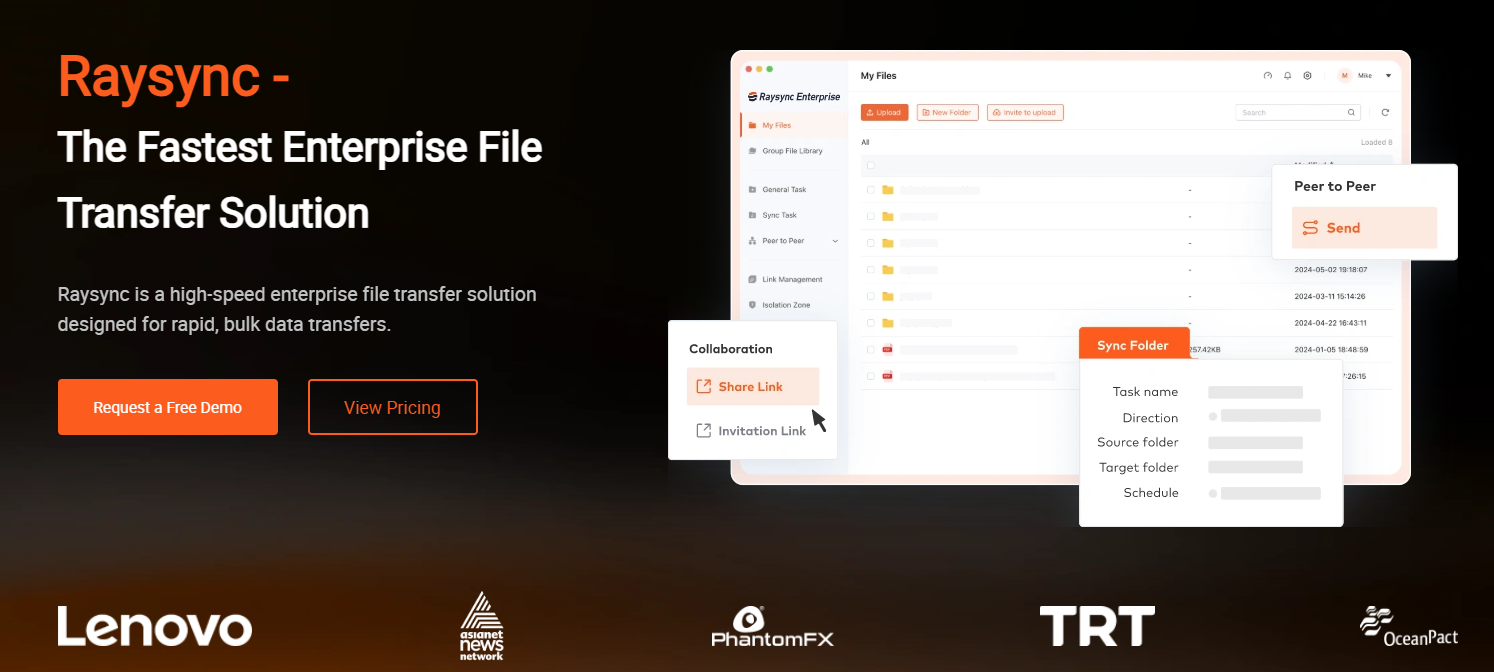
Raysync built its own transfer protocol from the ground up on UDP rather than TCP. This matters because TCP — the foundation of FTP, SFTP, and HTTP — was designed for reliability on reliable networks. On high-latency or high-packet-loss links (transcontinental routes, satellite, congested ISPs), TCP's error-correction handshakes create compounding delays that throttle throughput to a fraction of available bandwidth.
Raysync's UDP implementation sidesteps this entirely. Its proprietary protocol handles error correction at the application layer, achieving bandwidth utilization above 96% even on degraded links. According to Raysync's published benchmarks, transfer speeds can reach up to 100x faster than FTP on comparable connections — a claim consistent with how UDP acceleration performs against TCP on high-latency routes.
The practical result: a 10GB file that takes 45 minutes over SFTP on a 100Mbps international link might complete in under 3 minutes with Raysync's protocol.
MASV: Cloud-Accelerated Transfer
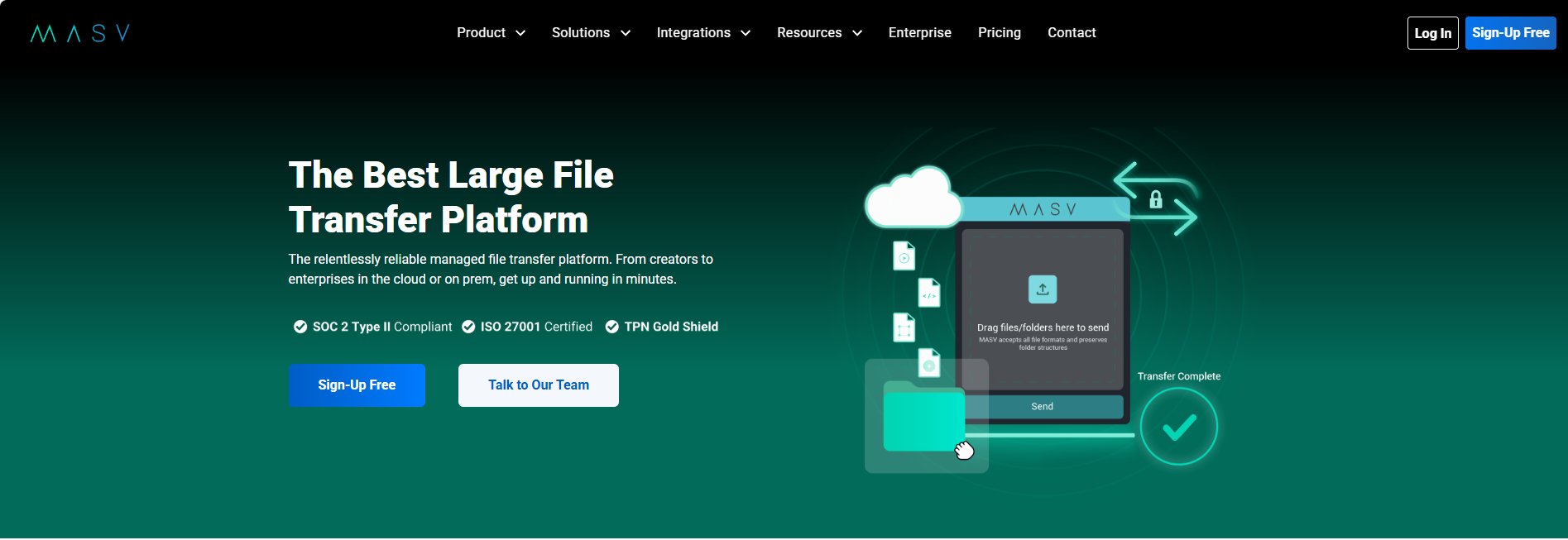
MASV uses its own transfer acceleration technology routed through cloud infrastructure. It's fast for what it is — particularly for smaller teams and media workflows — but performance is subject to server load and regional routing, which introduces more variability than a protocol-level optimization.
Speed Benchmark (3.22 GB folder, 100 Mbps network)
| Tool | Upload Speed | Download Speed |
|---|---|---|
| MASV | 84 Mbps | 86 Mbps |
| Raysync | 98 Mbps | 91 Mbps |
Note: This benchmark reflects a single test environment. Real-world performance varies by network conditions, geographic distance, and server load. Raysync's advantage widens significantly over high-latency international routes.
Verdict: For domestic transfers on good networks, both perform well. For cross-border transfers, high-latency environments, or maximum throughput requirements, Raysync's UDP architecture is the stronger choice.
2. Security and Compliance
Security posture is often the deciding factor for enterprise procurement — and both platforms invest heavily here, but for different audiences.
Raysync Security
Raysync applies AES-256 encryption throughout, supports SSL encrypted transmission, and uniquely complies with GM/T national cryptographic standards — a requirement for enterprises operating data pipelines into or out of its country. Security controls include:
- Two-factor authentication (2FA)
- IP blacklist/whitelist access controls
- Antivirus scanning on ingested files
- Watermark protection for online video preview links
- Multi-file integrity verification (hash checking)
- Role-based access control
This stack is well-suited to enterprises in regulated industries: manufacturing, life sciences, government, and financial services where data residency and internal governance are non-negotiable.
MASV Security
MASV's compliance portfolio is built for the media and entertainment industry's requirements and is frankly impressive:
- SOC 2 Type II compliant — independently audited controls for security, availability, and confidentiality
- ISO 27001:2022 certified — the global standard for information security management
- TPN Gold Shield — the Motion Picture Association's third-tier (Gold) cloud security certification, requiring independent third-party assessment and full remediation of all best practices. (Note: TPN Gold Star sits above Gold and requires remediation of additional recommendations.)
- MFA and SSO supported
- AES-256 at rest, TLS 1.2 or 1.3 in transit
- GDPR and PIPEDA compliant
For studios, broadcasters, and anyone handling pre-release or rights-protected content, MASV's TPN Gold Shield status is a significant advantage — many major studios require at minimum a TPN Gold assessment from vendors.
Security Comparison
| Control | Raysync | MASV |
|---|---|---|
| Encryption at rest | AES-256 | AES-256 |
| Encryption in transit | SSL / AES-256 | TLS 1.2 or 1.3 |
| National crypto standard | GM/T | — |
| SOC 2 Type II | ⚠️ Enterprise plans | ✅ |
| ISO 27001 | ⚠️ Enterprise plans | ✅ (2022) |
| TPN Gold Shield | — | ✅ (3rd of 4 tiers) |
| MFA / 2FA | ✅ | ✅ |
| SSO | ✅ | ✅ |
| IP allowlist / blocklist | ✅ | ✅ |
Verdict: MASV leads on third-party compliance certifications for media workflows. Raysync leads for enterprises requiring on-premise data control or regulatory compliance.
3. Deployment Flexibility
This is arguably the biggest structural difference between the two platforms.
Raysync: On-Premise, Cloud, and Hybrid
Raysync supports deployment across:
- On-premise (physical servers within your data center)
- Public cloud (AWS, Azure, and private cloud environments)
- Hybrid (on-prem + cloud simultaneously)
- Virtual machine, container, and high-availability configurations
- Cross-platform OS support: Windows, Linux, macOS, AIX, Android, iOS
This flexibility is critical for enterprises in sectors with strict data residency requirements — healthcare, defense, government — where files cannot leave controlled infrastructure. It also enables Raysync to function as a managed file transfer (MFT) backbone: the transfer engine lives inside your network, and you control the routing.
Raysync's Enterprise tier supports up to 10 Gbps bandwidth licensing, unlimited concurrent users, and centralized management of global transfer nodes through a visualized dashboard — purpose-built for high-throughput internal pipelines spanning multiple sites or regions. Identity management integrates with Active Directory, LDAP, Okta, OneLogin, and Google, making it straightforward to plug into existing enterprise IAM infrastructure.
MASV: SaaS Only
MASV is purely SaaS. Files transit through MASV's cloud infrastructure, which means:
- Zero infrastructure to manage
- Instant deployment (minutes, not days)
- No capital expenditure
- Dependency on MASV's cloud availability and routing
For teams without dedicated IT, this is a genuine advantage. For enterprises that need files to stay within their own network perimeter — even temporarily — it's a hard blocker.
Verdict: Raysync is the clear choice for on-premise or hybrid requirements. MASV wins on simplicity and zero-ops deployment for cloud-native teams.
4. Pricing and Total Cost of Ownership
Pricing models differ fundamentally — and the right model depends entirely on your transfer volume.
MASV Pricing
MASV uses pay-as-you-go pricing starting at $0.25 per GB, with tiered rates that step down as volume increases: $0.25/GB for the first ~1 TB, $0.24/GB for the next 4 TB, and $0.23/GB beyond 5 TB. The Starter plan includes a 15 GB/month free credit. Enterprise plans are available with custom volume pricing and SSO.
AWS Marketplace pricing (annual commitments) ranges from approximately $3,584 for 20 TB/year to $12,288 for 100 TB/year.
For teams with irregular, low-volume transfers (a production house sending a few hundred GBs a month), MASV's model is efficient. For enterprises moving terabytes daily, costs escalate sharply: 50 TB/month at $0.25/GB runs to $12,500/month at list price.
Raysync Pricing
Raysync uses fixed annual licensing with two main tiers:
Raysync SMB — $1,599/year
- Unlimited traffic volume
- 1 Gbps UDP bandwidth
- Up to 10 users
- On-premise or cloud deployment
- 7-day free trial available
Raysync Enterprise — Custom pricing (contact sales)
- Unlimited users and unlimited traffic
- Up to 10 Gbps bandwidth licensing
- Full deployment flexibility: on-premise, cloud, hybrid, VM, container, HA
- SSO via Active Directory, LDAP, Okta, OneLogin, Google, and others
- Compliance: ISO 27001, HIPAA, TPN
- Centralized management of global transfer nodes via visualized dashboards
- SDK and API for deep integration into enterprise workflows
- Priority support and SLA
The SMB plan alone makes Raysync dramatically cheaper than MASV at moderate-to-high volumes. At 10 TB/month, MASV costs $2,500/month vs. Raysync's flat annual fee.
Cost Comparison by Volume
| Monthly Transfer Volume | MASV (est.) | Raysync SMB ($1,599/yr) |
|---|---|---|
| 1 TB/month | ~$250/month | ~$133/month (annualized) |
| 5 TB/month | ~$1,250/month | ~$133/month |
| 20 TB/month | ~$5,000/month | ~$133/month |
| 50 TB/month | ~$12,500/month | Enterprise pricing |
⚠️ MASV estimates use the $0.25/GB base rate and are slightly conservative — tiered pricing ($0.24–$0.23/GB) reduces actual costs at higher volumes. Enterprise volume commitments reduce per-GB rates further. Contact MASV for custom pricing.
Verdict: Raysync is significantly more cost-effective for high-volume or continuous transfer workflows. MASV is more accessible for low-volume, occasional use cases.
5. Integrations and API Support
Raysync
Raysync offers a REST API and SDK for custom integration into enterprise workflows, ERP systems, and data pipelines. A full CLI is available for scripted automation, with 60+ command-line parameters and comprehensive error-code documentation. The platform integrates natively with major cloud object storage — AWS S3, Azure Blob, Google Cloud Storage, Alibaba Cloud, Wasabi, and Backblaze — as well as NAS systems via SMB/NFS.
For AI and DevOps teams specifically, Raysync has introduced an AI-native integration that takes this further (see Section 6 below).
MASV
MASV provides a developer-friendly REST API and supports Watch Folders (no-code automation that monitors a folder and triggers transfers automatically). Integrations include AWS S3, Google Drive, Dropbox, Wasabi, and other cloud storage targets. MASV's API enables automated ingest workflows for media production pipelines.
Verdict: Both have capable APIs. MASV's Watch Folders give it an edge for no-code media workflow automation. Raysync's CLI, SDK, and cloud storage integrations better suit IT-heavy enterprise and AI infrastructure scenarios.
6. Raysync AI: Natural Language Transfer Control for Developer and AI Teams
This is where Raysync pulls away from every traditional file transfer competitor, including MASV.
Raysync has launched the Raysync Transfer Skill — a direct integration of the Raysync transfer engine into AI coding environments (currently OpenCode). Instead of writing CLI commands or configuring transfer scripts manually, engineers can trigger, manage, and monitor file transfers using plain English.
Tell it: "Upload the build output to the /data/ directory on the server" — and it executes, using Raysync's full UDP-accelerated, SSL-encrypted transfer stack underneath.
What the Raysync Transfer Skill Does
| Capability | What it means in practice |
|---|---|
| Upload | Push local files to remote servers via natural language command |
| Download | Pull remote files to local machine without touching the CLI |
| Remote Management | List, create, delete, rename, move, and copy files remotely — all from a single prompt |
| Directory Monitoring | Auto-upload new files as they appear in a watched local folder |
| Server Profiles | Store server addresses, ports, and credentials once; reference them by name |
| Auto-Configuration | Provide a Raysync admin URL and credentials — the skill syncs all connection parameters automatically |
Under the hood, every transfer still uses Raysync's full protocol stack: UDP acceleration with intelligent fallback to TCP, SSL-encrypted channels, and automatic checkpoint resume if the connection drops mid-transfer. The AI interface is a layer on top — it removes friction, not reliability.
Why This Matters for Enterprise and AI Teams
The teams building and operating AI infrastructure — model training pipelines, dataset ingestion, cross-region GPU cluster feeds — move enormous amounts of data as a routine part of their workflow. They're already living in AI-native tooling. Having Raysync's acceleration engine embedded directly into that environment means:
- Faster iteration: No context-switching to a separate transfer console or writing bespoke scripts
- Lower error rate: Natural language commands are parsed and translated to correct CLI syntax automatically — no mistyped flags, no forgotten parameters
- Portable across OS: The skill auto-detects Windows, Linux, or macOS and runs the appropriate binary
- Accessible to non-CLI users: Data scientists and ML engineers who need to move large training datasets don't need to learn the Raysync CLI
MASV vs Raysync AI: No Contest Here
MASV has no equivalent. Its interface is browser-based with an API — both are well-designed for media professionals, but neither integrates into AI coding environments or supports natural language transfer control. For traditional media workflows, this gap doesn't matter. For enterprises building AI pipelines, it's significant.
Verdict: The Raysync Transfer Skill is a clear differentiator for engineering-heavy teams, DevOps workflows, and AI infrastructure operators. MASV does not offer a comparable capability.
7. Who Should Use Raysync vs MASV?
Choose Raysync if:
- Your enterprise moves terabytes of data daily or weekly across internal systems or between offices
- You need on-premise deployment to meet data residency, regulatory, or security policy requirements
- Your data crosses borders
- You're in manufacturing, life sciences, government, defense, or financial services
- You want predictable, fixed costs regardless of transfer volume
- You need to transfer massive numbers of small files alongside large files (Raysync handles both efficiently)
- Your team uses AI coding environments and wants natural language control of file transfers via the Raysync Transfer Skill
- You're running AI infrastructure (model training pipelines, dataset ingestion) and need transfer acceleration built into your dev toolchain
Choose MASV if:
- You work in media and entertainment, broadcasting, or post-production
- Your primary use case is sending files to external collaborators or clients (not internal pipelines)
- You need TPN Gold Shield compliance for studio or broadcaster requirements
- You want zero IT overhead and instant setup
- Transfer volumes are moderate and irregular (not continuous high-throughput)
- Your users are non-technical and need the simplest possible interface
Frequently Asked Questions
What is the maximum file size for MASV transfers?
MASV supports individual files up to 15 TB. There is no package size limit, meaning you can send multiple large files in a single transfer without a cap on total package size.
Does Raysync support cloud deployment?
Yes. Raysync supports on-premise, public cloud, private cloud, hybrid, and containerized deployment. Enterprises can choose the model that fits their infrastructure and data governance requirements.
How does Raysync's UDP acceleration compare to standard FTP?
Raysync's proprietary UDP protocol achieves bandwidth utilization above 96% and delivers transfer speeds up to 100x faster than FTP on high-latency or congested network links — particularly significant for cross-border and long-distance transfers.
Is MASV compliant with media industry security standards?
Yes. MASV holds SOC 2 Type II compliance, ISO 27001:2022 certification, and TPN Gold Shield status — the Motion Picture Association's independently-audited Gold tier certification (one of four TPN tiers). It also supports GDPR and PIPEDA compliance.
Can Raysync handle bulk small-file transfers?
Yes. Raysync's protocol is designed for both PB-scale large files and high-volume small-file transfers simultaneously, maintaining efficiency across mixed workloads.
What happens to MASV costs at high transfer volumes?
At the standard $0.25/GB rate, costs scale linearly. A team transferring 50 TB/month would pay approximately $12,500/month. Enterprise plans with volume commitments significantly reduce per-GB rates — contact MASV for custom pricing.
What is the Raysync Transfer Skill and who is it for?
The Raysync Transfer Skill is an AI-native integration that embeds Raysync's high-speed transfer engine directly into AI coding environments like OpenCode. Engineers can upload, download, and manage remote files using plain English commands — no CLI syntax required. It retains Raysync's full protocol stack (UDP acceleration, SSL encryption, checkpoint resume) under the hood. It's built for DevOps engineers, AI infrastructure teams, and data scientists who want fast, automated file transfers without leaving their development environment. MASV has no equivalent feature.
Which platform is better for cross-border data transfer?
Raysync. Its UDP protocol is specifically engineered to compensate for high latency and packet loss on international routes, where TCP-based tools (including many cloud-routed SaaS platforms) lose throughput. Raysync also supports GM/T cryptographic standards for compliance with international data regulations.
The Bottom Line
Raysync and MASV both solve real problems — but they serve different buyers.
MASV is the right call for media teams, studios, and production companies that need to move files to external partners quickly, without managing infrastructure. Its TPN Gold Shield, SOC 2, and ISO 27001 certifications make it a trusted name in Hollywood workflows. For low-to-moderate transfer volumes with no IT overhead, it delivers strong value.
Raysync is built for enterprise IT departments that treat data pipelines as core infrastructure. Its UDP acceleration excels on the routes that punish TCP-based tools most — high latency, cross-border, high-volume. The Enterprise plan adds unlimited users, 10 Gbps bandwidth, HIPAA compliance, and centralized multi-node management. Fixed licensing makes it dramatically more cost-effective at scale, and on-premise deployment gives security-conscious organizations the control they need. And for engineering and AI teams, the Raysync Transfer Skill brings natural language transfer control directly into AI coding environments — a capability MASV simply doesn't have.
If your team is moving terabytes across borders, operating in regulated industries, or needs to keep transfers inside your own infrastructure, Raysync is the stronger foundation. If you're in media production and need the fastest path to sending files to a client or partner with zero setup, MASV is hard to beat.
Ready to see Raysync in action?
Sources
- Raysync Enterprise — High Speed Large File Transfer — Raysync, 2025
- MASV Pricing — Large File Transfer for Enterprise and Teams — MASV, 2026
- MASV Security — Secure File Transfer for Enterprise Media Workflows — MASV, 2026
- MASV Achieves TPN Gold Shield for Cloud Security — MASV Newsroom, 2024
- MASV Lowers Prices, Raises Security Profile (SOC 2) — MASV Newsroom
- Is there a limit on the file or package size for a transfer? — MASV Help Center
- The Best MASV Alternative for Large File Transfer — Raysync, 2025
- Beyond Reliability: Why UDP File Transfer Excels — Raysync, 2025
- AWS Marketplace: MASV Ultra-Fast Large File Transfer — AWS, 2025
You might also like

Industry news
November 25, 2025Learn how remote teams can bypass Google Drive’s 15GB limit using accelerated file transfer, hybrid storage, and secure collaboration workflows. Discover why Raysync enables faster, unlimited, and secure large-file sharing across global teams.
![Guide: How to Rsync Large File [Comprehensive Guide]](http://images.ctfassets.net/iz0mtfla8bmk/2T3uRocCaX8AfR3KrewAJD/7f5d3f58d05c156a41a6903d9ff6e366/rsync-large-file.png)
Industry news
February 7, 2025Need to Rsync huge files? This comprehensive guide simplifies the process, offering clear explanations and practical examples to help you master large file transfers with Rsync.

Industry news
August 2, 2024Discover the top 4 file synchronization programs for both individuals and businesses. Explore detailed insights on file sync software, including its features, pros, cons, and free trial policies.