Why P2P makes file transfers faster?
November 24, 2025.png)
The Problem: The Server Bottleneck
-
Client-Server (Traditional): Think of a single library. Everyone who wants a book (file) must go to that one library, check it out from the single librarian, and return it. If 100 people want the same book, the librarian becomes a massive bottleneck. The library's single entrance and exit (the server's bandwidth) get congested.
-
Peer-to-Peer (P2P): Think of a potluck dinner. One person (Peer A) brings a giant pie (a large file). Instead of that person having to slice and serve every single guest individually, the first few guests get their slice directly from Peer A. Then, those guests can turn around and share their slices with other guests. Now the pie is coming from multiple sources simultaneously, and the original pie-bearer isn't overwhelmed.
Traditional file transfers work like a busy post office sorting facility. Every package—regardless of its final destination—must first go through the central sorting hub. This creates several critical slowdowns:
-
Single Point of Congestion: All data flows through one central server
-
Bandwidth Limitations: Server capacity determines maximum transfer speed
-
Unnecessary Detours: Data takes longer routes instead of the most direct path
-
Scalability Issues: More users mean more congestion and slower speeds for everyone
The Raysync Solution: Direct P2P Connections
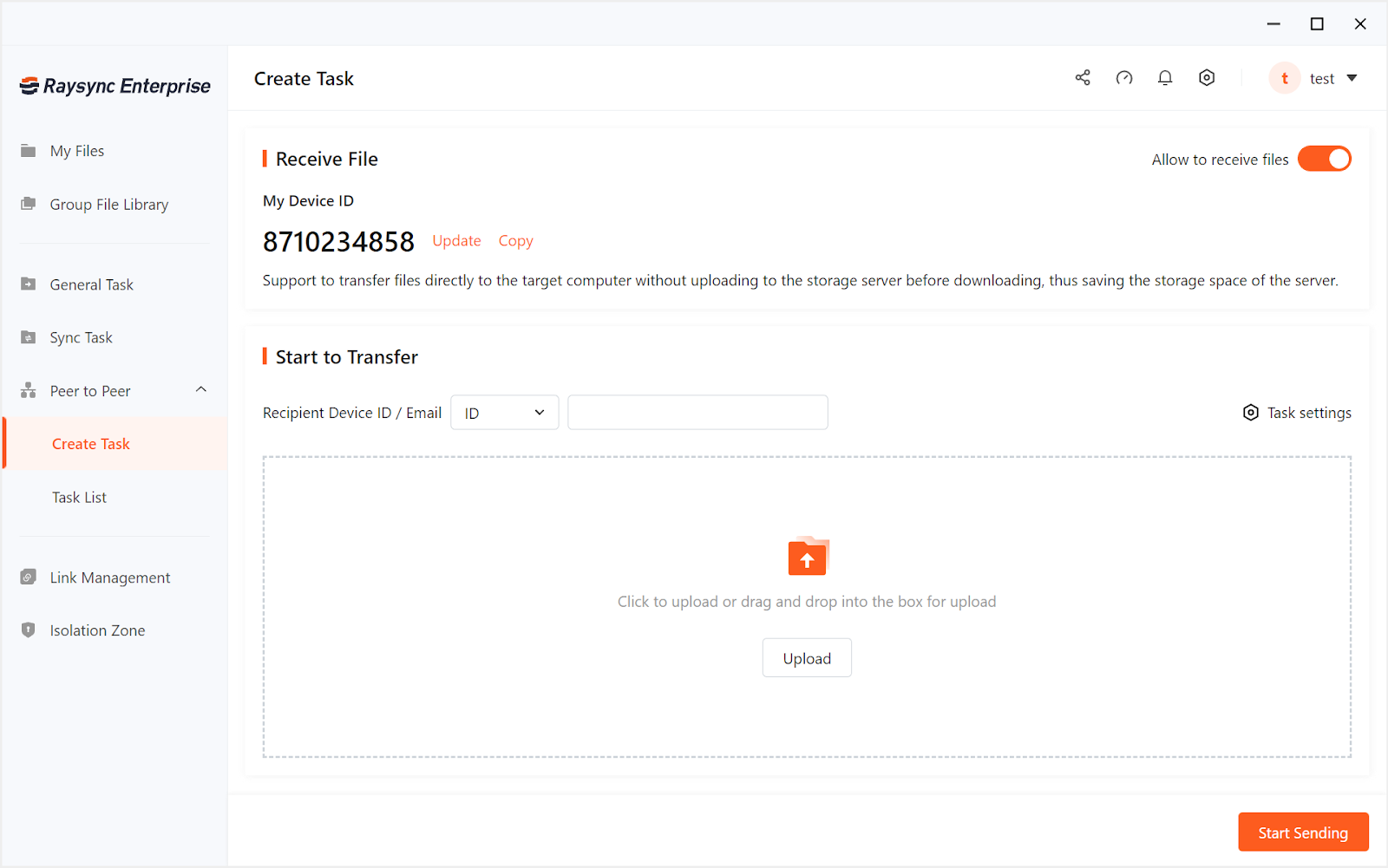
Raysync uses P2P technology eliminates these bottlenecks by establishing direct connections between devices. Here's how it works:
The "Hole-Punching" Breakthrough
Raysync uses advanced NAT traversal techniques to create direct tunnels between sender and receiver devices, even behind firewalls and routers. Think of it as enabling two people to speak directly to each other instead of having to shout through a crowded central room.
No More Middleman
-
Traditional Route: Sender → Central Server → Receiver
-
Raysync: Sender → Receiver
By cutting out the middleman, we eliminate the primary source of delay and congestion.
Why Raysync' P2P is Inherently Faster and Safer
1. Eliminates Server Congestion
"With traditional transfers, everyone fights for the same server bandwidth. Raysync's P2P approach creates dedicated highways between devices instead of forcing everyone onto the same crowded freeway."
2. Maximizes Available Bandwidth
-
Utilizes the full upload capacity of the sender
-
Leverages the full download capacity of the receiver
-
No artificial limits imposed by intermediate servers
3. Intelligent Network Optimization
Our technology doesn't just create direct connections—it continuously optimizes them for:
-
Lowest possible latency
-
Maximum throughput
-
Network stability
4. Enterprise-Grade Security
-
End-to-end encryption on all direct connections
-
Secure authentication before establishing P2P links
-
Comprehensive audit trails
Experience the Raysync Difference
While basic P2P technology has existed for years, Raysync brings it to the enterprise level with unmatched reliability, security, and performance optimization.
Ready to Break Free from Server Bottlenecks?
You might also like

Industry news
December 16, 2020Aiming at the problem of the transnational transmission of large files, we break down the problem into two small problems, so it is easy to draw a final conclusion.
Industry news
July 9, 2024In this blog we will look at the best alternative FTP server and high-speed options like SFTP, FTPS, MFT, Aspera, and Raysync.
![[2025] Well Fixed “Syncthing Slow” Issue](http://images.ctfassets.net/iz0mtfla8bmk/4eodFef7F5CB371TTu0K3P/d9d920304615f0e4a881f67d5c1cdef9/syncthing-slow.png)
Industry news
March 7, 2025Is your Syncthing slow? You're not alone! Discover common causes and simple fixes to boost your sync speeds.