Raysync 8.1.8.6 Release: Faster Transfers, Enhanced Security & Smarter Management
April 24, 2026
We are pleased to announce the official release of Raysync 8.1.8.6. This update delivers comprehensive enhancements across transfer efficiency, security, system notifications, client experience, and overall performance, providing enterprise users with a more efficient, secure, and stable file transfer solution.
Below are the key highlights of this release.
I. Transfer and Task Management
1. User-Level Transfer Priority
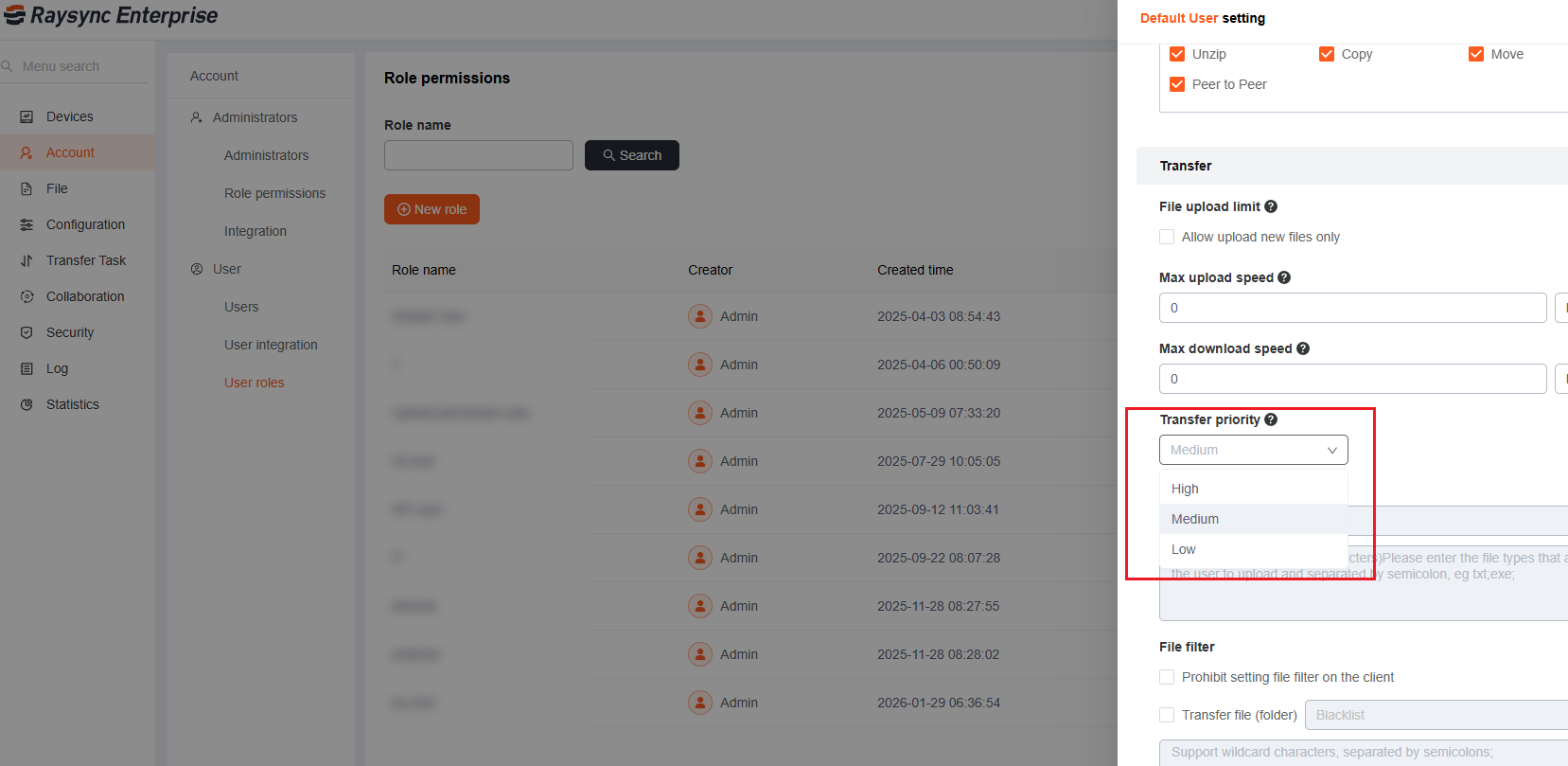
Now, transfer priorities (high, medium, low) can be assigned to users. The system will intelligently allocate bandwidth to users' transfer tasks based on the total bandwidth and priorities, ensuring the prioritized processing of critical business data and improving the operational response speed.
Administrators need to enable priority and configure the total bandwidth in [Configuration] - []Transfer], and then configure priority in User roles.
2. Node Machine Notes for Server-Side Task Distribution
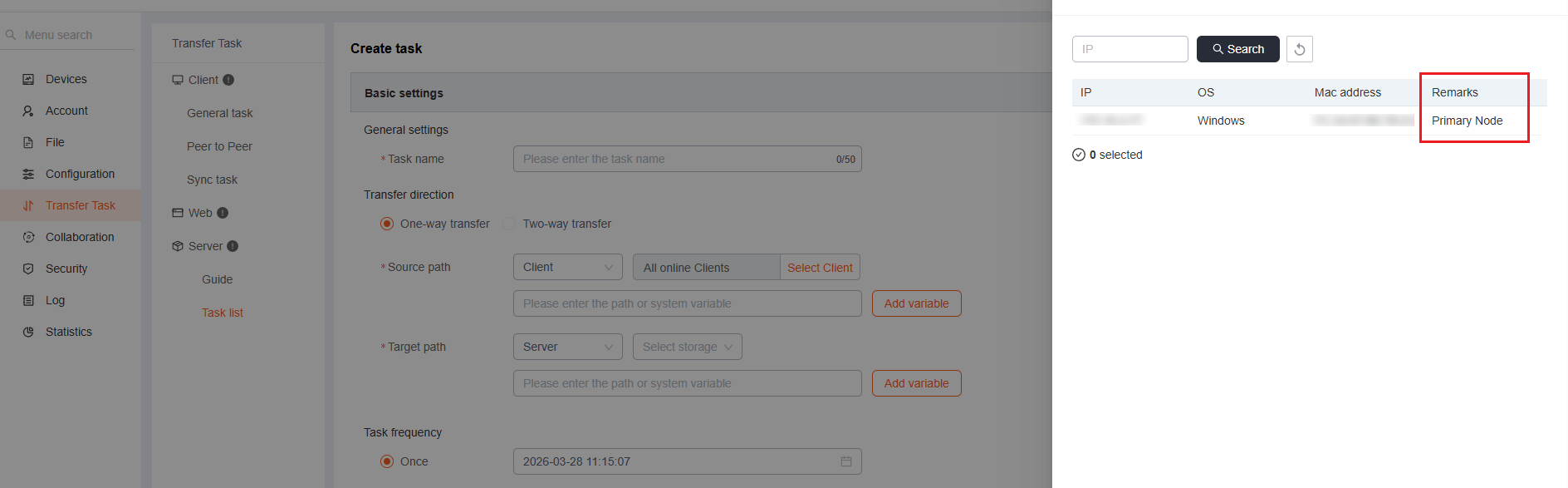
Administrators can add custom notes to target node machines when distributing tasks from the server (e.g., “Singapore Data Center – Primary Node”). This simplifies the identification of node purposes and significantly improves management efficiency in large-scale node clusters.
3. Task Sorting and Creation Time Filtering in Client
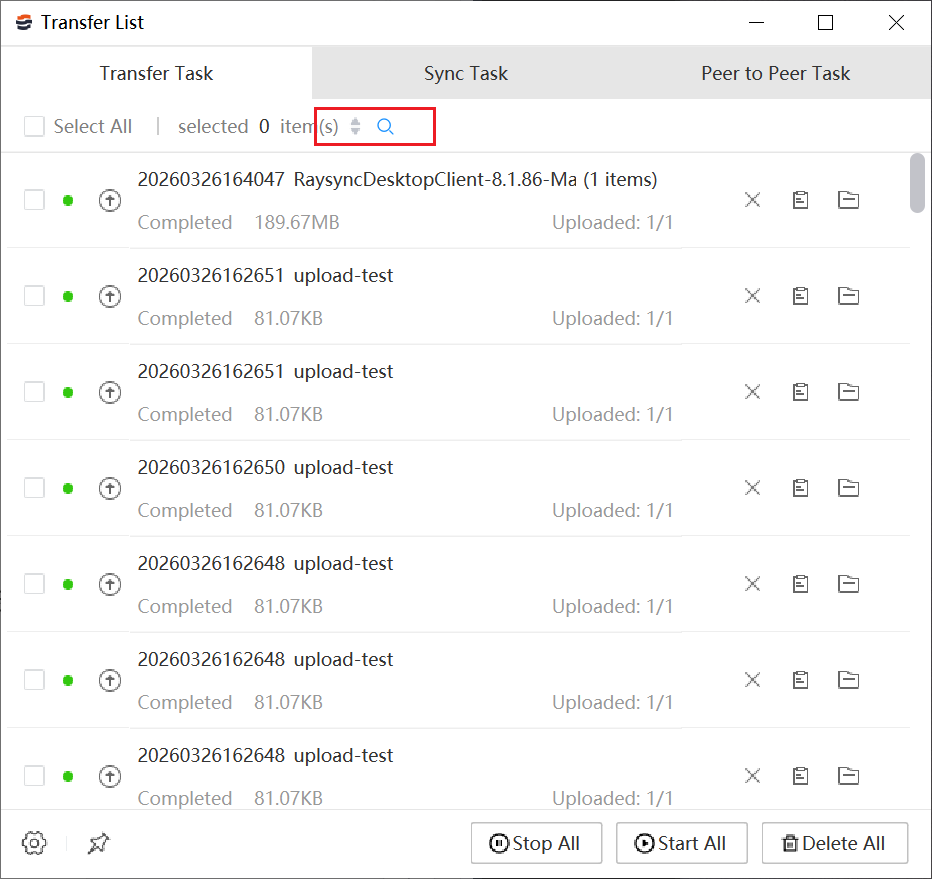
The Client now supports sorting of task lists by creation time, and filtering by task creation time range, making it easier for users to quickly locate and manage large volumes of transfer tasks.
II. Security and Authentication Enhancements
1. Authenticator-Based 2FA with Admin Bypass
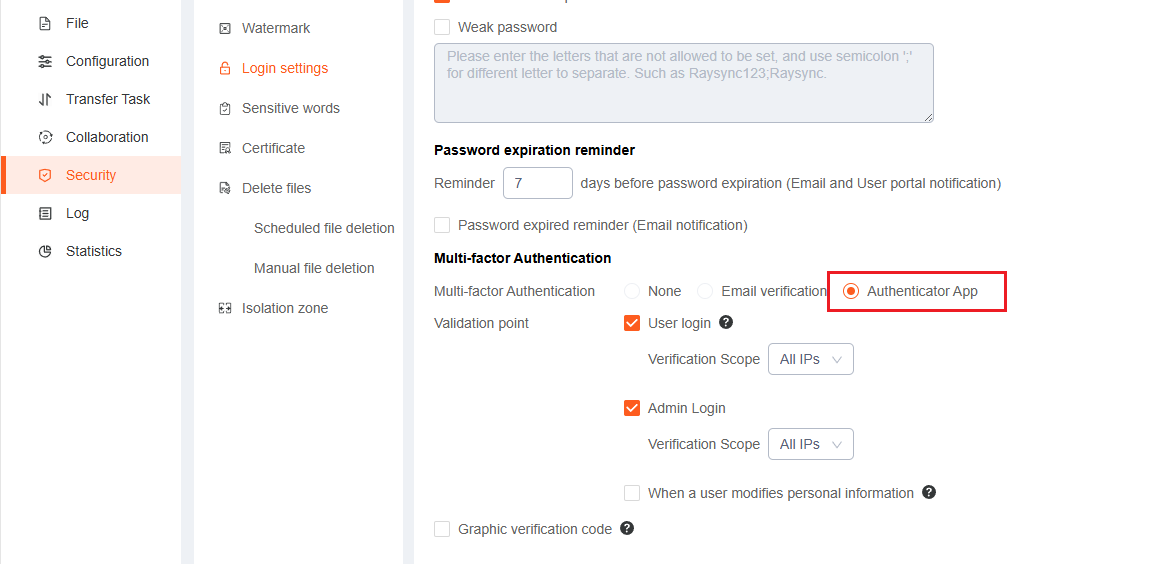
The system now supports TOTP-based two-factor authentication (2FA) using authenticator apps such as Google Authenticator and Microsoft Authenticator. Regular users and administrators are required to complete 2FA during login, while the super administrator account can be configured to bypass 2FA for emergency access.
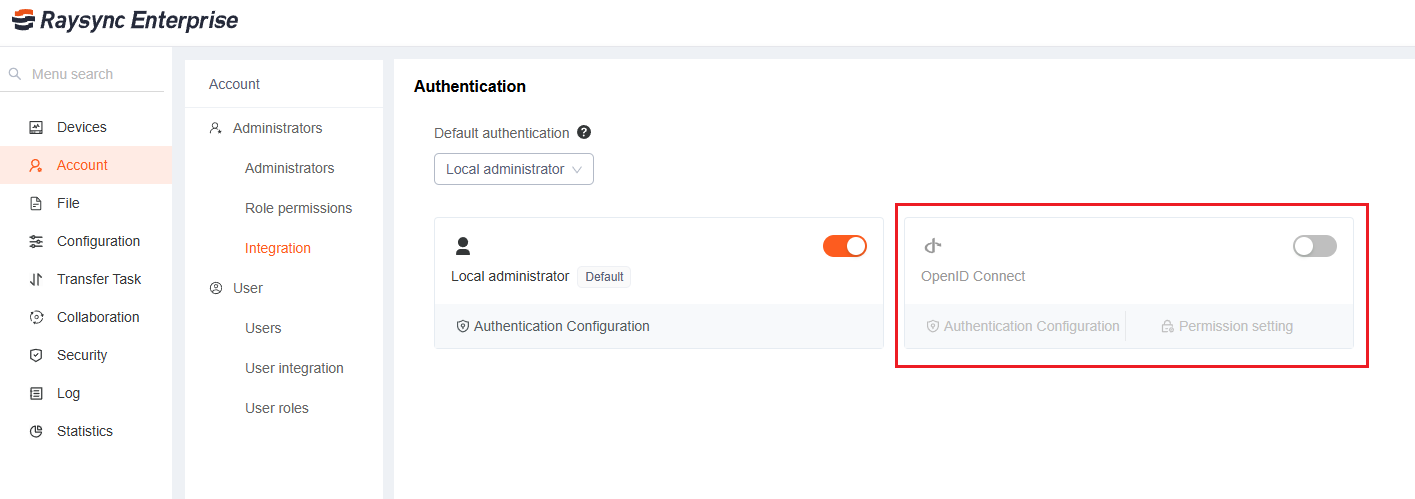
2. OIDC Authentication for Management Console
The management console now integrates OIDC (OpenID Connect) protocol, enabling single sign-on (SSO) with enterprise identity providers such as Okta, Keycloak, and Azure AD. This streamlines login processes and unifies identity management.
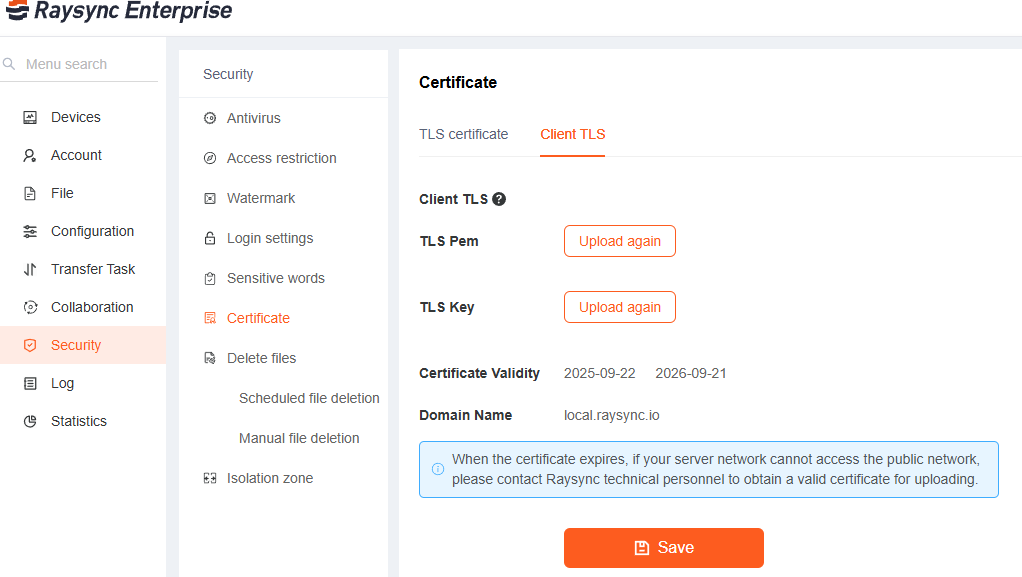
3. Custom Certificates for Clients
Users can now configure and use custom SSL/TLS certificates in the client, replacing system-default certificates. This supports enterprise security policies and enhances transmission security.
III. System Notifications
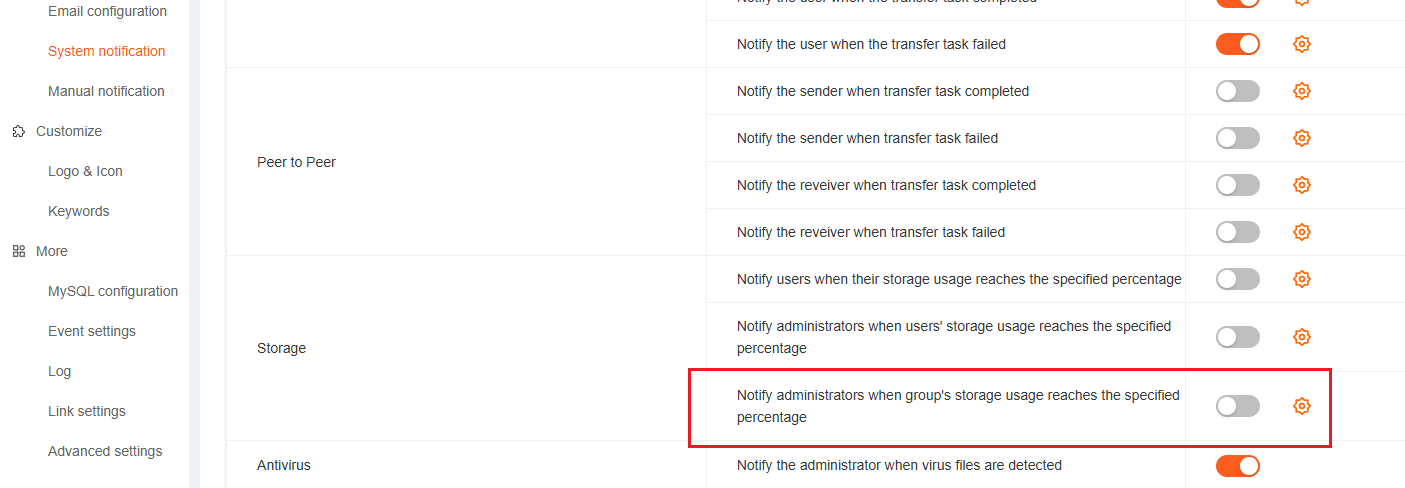
1. Group Storage Alerts
The system now monitors group storage usage and automatically sends alerts (via email or system messages) when usage exceeds predefined thresholds. This helps teams stay informed about storage status and plan cleanup or capacity expansion proactively.
2. P2P Transfer Task Notifications
Real-time notifications are now available for P2P-accelerated transfer tasks, covering events such as completion, and failure. Users can monitor task status closely and respond quickly to any issues.
IV. Performance and Transfer Optimizations
1. GSO (Generic Segmentation Offload) Support
The new version supports the activation of GSO. This technology can offload the segmentation task from the CPU to the network interface card, reducing CPU utilization and improving system performance, especially when handling large - size data packets.
2. Long Queue Compatibility
The new version supports long - queue transfer, which can handle a large number of transfer tasks without crashing or slowdown. Whether you need to transfer thousands of small files or a series of large - volume files, Raysync can efficiently queue and process them, ensuring continuous and stable file transfer.
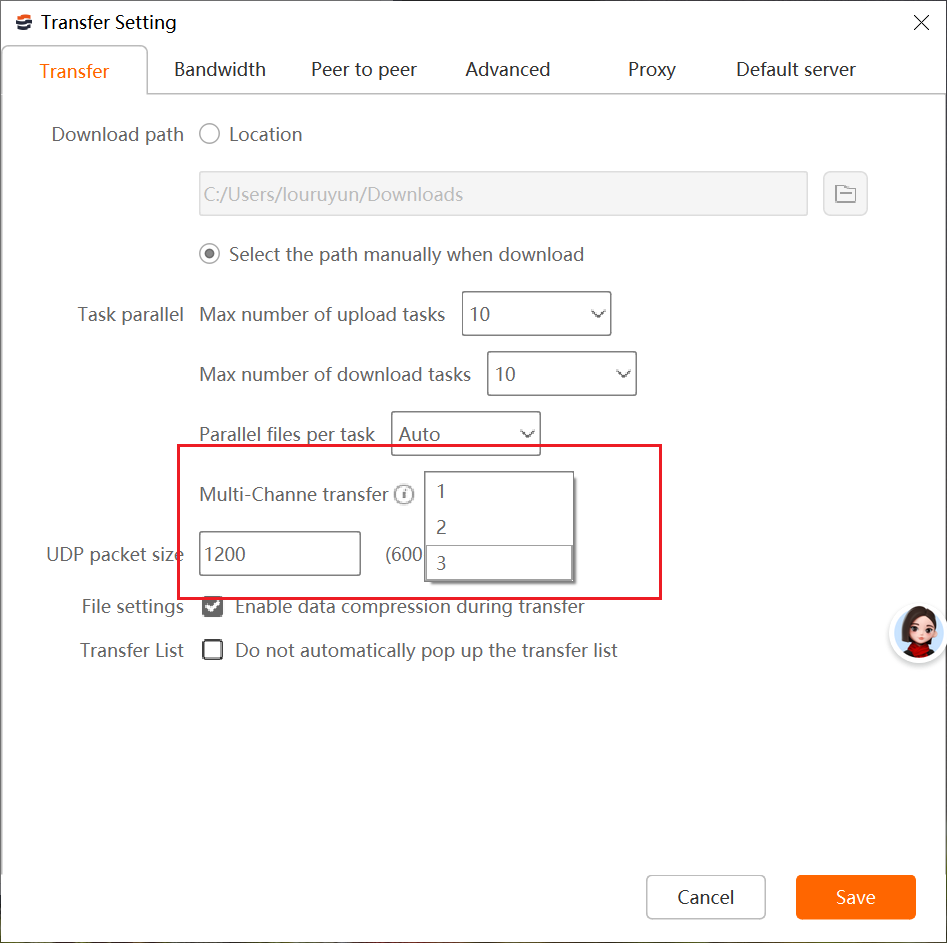
3. Multi-Channel Transfer Compatibility
We have introduced multi - channel transmission technology. By using multiple channels, the transmission speed is significantly improved, and the network bandwidth is utilized more fully. This is particularly effective in scenarios with poor network conditions or long - distance transmissions, enabling faster and more stable file transfers.
V. Configuration and Management Enhancements
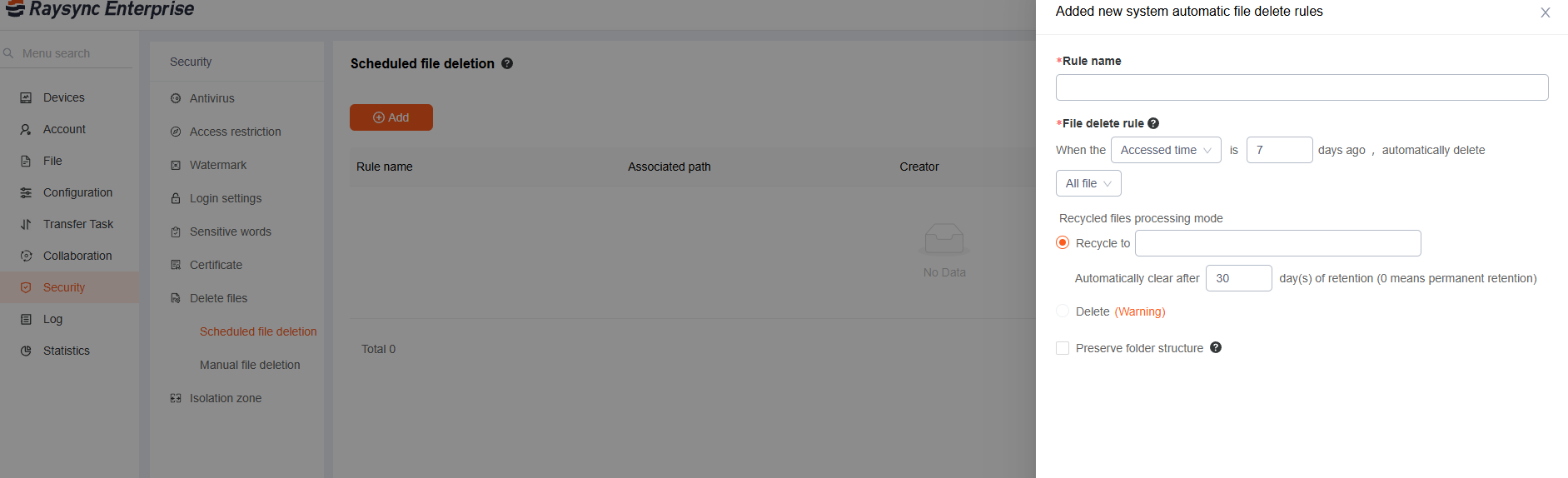
1. Optimized File Cleanup Configuration
File cleanup policies now support more granular configuration options (file type, retention period, file size, directory path, etc.), with the ability to combine multiple conditions. This enables flexible file lifecycle management and helps reduce storage costs.
The new version of Raysync is a significant step forward in our commitment to providing the best - in - class file - transfer solutions. We believe that these new features will bring you a more excellent user experience, helping your business achieve more efficient file transfer and sharing. Try the new version of Raysync today and experience the difference!
You might also like

Industry news
October 23, 2024Comprehensive buyer’s guide to WeTransfer for Business, covering its features, target users, pricing, business model, as well as its advantages and disadvantages.
Industry news
July 19, 2025Discover the best ways to receive large files quickly and securely with tools built for speed, ease, and reliability.

Industry news
June 11, 2020The stability of file transfer is fundamentally based on excellent transfer performance. Raysync Transmission is based on UDP transfer performance, breaking through the transfer defects of traditional FTP and HTTP.